

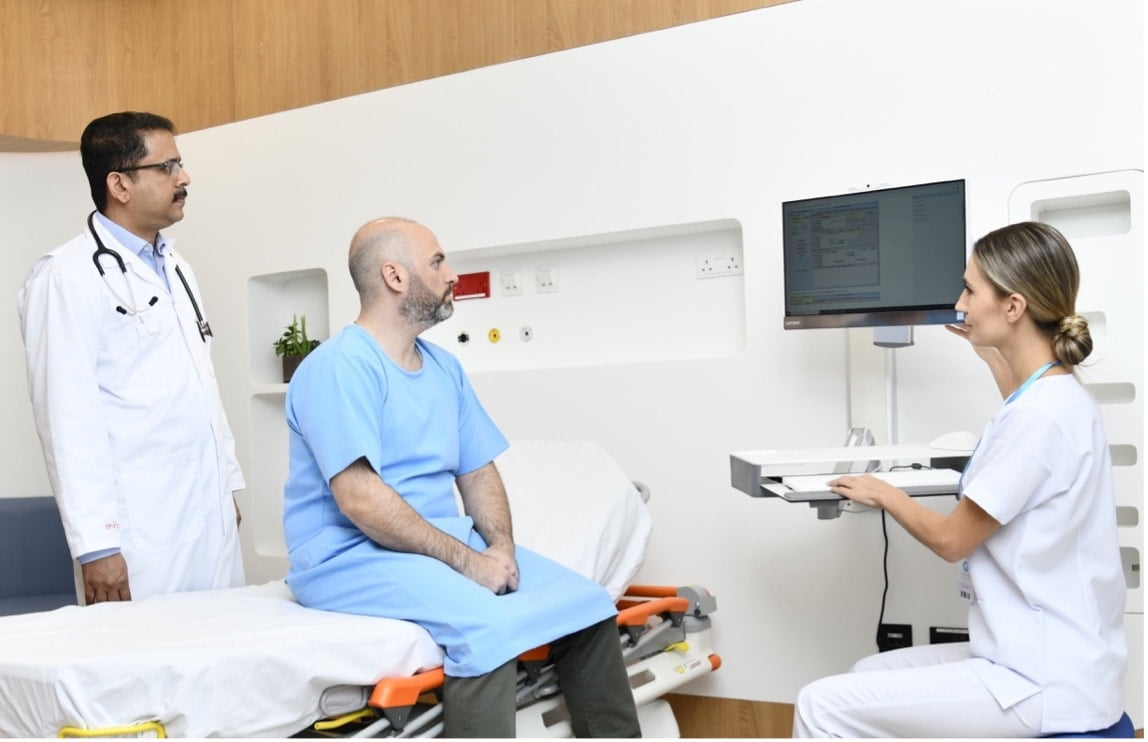
In a healthcare setting, computer problems do not stay in the IT department. A frozen workstation can delay charting. A cracked screen on a mobile cart can slow down medication rounds. A device that cannot tolerate cleaning chemicals can become a weak point in infection control. For clinics, surgical centers, imaging departments, and long-term care facilities, reliable clinical workstations are part of daily patient care.
Business owners often think about medical technology in terms of major systems: electronic health records, imaging platforms, billing software, or telehealth tools. Those systems matter, but they all depend on the hardware staff touches every shift. If the workstation at the nurse’s station, exam room, lab counter, or bedside cart fails at the wrong time, the entire workflow feels it.
Downtime Has a Direct Operational Cost
A general office computer outage is inconvenient. In a clinical environment, it can affect patient throughput, staff productivity, documentation accuracy, and revenue capture.
Consider a busy outpatient practice with six exam rooms. If two workstations run slowly during the morning rush, providers may spend extra minutes logging in, pulling records, entering orders, or printing discharge instructions. Five lost minutes per patient can spread across the schedule quickly. By midafternoon, appointments run behind, staff morale drops, and patients start questioning the professionalism of the practice.
The cost is not always dramatic enough to show up as one large invoice. It shows up as overtime, duplicate work, delayed claims, frustrated clinicians, and lower patient satisfaction. A workstation that fails during flu season, year-end benefit deadlines, or a high-volume specialty clinic day can create a larger ripple than its purchase price suggests.
Clinical Environments Are Hard on Standard Computers
Medical settings place unusual demands on hardware. Devices may be moved between rooms, wiped down repeatedly, used by many staff members, and expected to run specialized applications without interruption.
Cleaning and Infection Control
Standard keyboards, vents, seams, and consumer-grade plastics can be difficult to disinfect thoroughly. In healthcare, workstations often need smooth surfaces, sealed designs, antimicrobial features, or compatibility with approved cleaning agents. This matters most in exam rooms, emergency care areas, labs, and any setting where devices sit close to patients.
Continuous Use Across Multiple Shifts
A business laptop might be used by one person for part of the day. A clinical workstation may support nurses, physicians, medical assistants, technicians, and administrators from opening to closing. In hospitals and urgent care settings, that can mean near-continuous operation. Hardware needs to handle repeated logins, peripheral connections, barcode scanners, card readers, printers, and EHR access without constant resets.
Space and Mobility Constraints
Healthcare facilities rarely have extra room. Workstations may be mounted on walls, attached to carts, placed at compact counters, or integrated into registration areas. Poor hardware choices can crowd exam rooms, block movement, or make staff work around cables and awkward screens. Purpose-built setups help teams keep technology accessible without letting it interfere with care.
Better Workstations Support Better Patient Flow
Reliable clinical hardware improves the rhythm of the workday. When providers can access charts quickly, nurses can document at the point of care, and front desk teams can verify patient information without delays, the practice runs with fewer interruptions.
The beneficiary is not only the clinician. Patients notice when staff members do not have to leave the room to find a working computer. They notice when discharge instructions are ready on time. They notice when billing, scheduling, and follow-up tasks are handled cleanly.
For business owners, that smoother patient flow can support measurable outcomes: shorter wait times, fewer documentation bottlenecks, fewer help desk tickets, and better use of paid clinical hours.
Buying Decisions Should Match the Clinical Workflow
The right workstation depends on the setting. A dental office, physical therapy clinic, imaging center, primary care practice, and surgical facility may all need different configurations. Before purchasing, owners and administrators should look closely at how staff actually work.
Key questions include:
- Will the device stay in one room or move between patients?
- Does it need a medical-grade power supply or battery support?
- Will it connect to scanners, diagnostic equipment, or label printers?
- Can staff clean it according to facility protocols?
- Does the screen size support charting without excessive scrolling?
- Can it be mounted safely in the available space?
- Is support available if a unit fails during business hours?
This is where specialized vendors become important. Instead of treating workstations as ordinary office equipment, healthcare businesses can evaluate medical PC solutions that are built around clinical use, sanitation needs, mounting requirements, and dependable daily performance.
Reliability Should Be Planned Before the Busy Season
Many practices wait until a device fails before replacing it. That approach can be costly if the failure lands during peak demand. Pediatric offices may face heavy volume during back-to-school season. Primary care groups often see surges during flu season. Specialty clinics may have procedure-heavy weeks where every room must stay on schedule.
A practical replacement plan helps avoid emergency purchases. Inventory current devices, note their age, identify recurring trouble tickets, and prioritize the workstations tied most directly to patient care. Replacing one weak unit at a time is usually easier than reacting to several failures at once.
Strong Hardware Protects the Whole Business
Clinical workstations are not glamorous, but they are essential infrastructure. They connect staff to records, orders, schedules, billing, imaging, and patient instructions. When they work well, the technology fades into the background and teams can focus on care.
For healthcare business owners, that is the real value: fewer disruptions, cleaner workflows, safer documentation, and less time spent managing preventable equipment problems. Reliable workstations help protect both patient experience and business performance, one shift at a time.